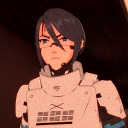
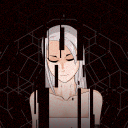
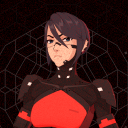
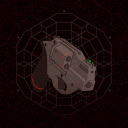
Presenting LSTR ("Elster"), a game-ready character built as a tribute to the 4th anniversary of Signalis!

PUBLISHED 2026

No headings found on page

Introduction

Presenting LSTR, a game-ready character built as a tribute to the 4th anniversary of Signalis!

After completing The Evoker from Persona 3, I knew I wanted to make a game-ready character. Prior to completion, I had a growing fascination with stylized 3D anime characters seen in games like Arc System Works' Guilty Gear series and Riot Games' 2XKO. During that time, I was also obsessed with Signalis, developed by rose-engine. Signalis was everything I personally liked: cute anime characters, spooky sci-fi atmosphere, and a unique art style that blends brutalist, German, and Chinese aesthetics from what I’ve observed. When I first saw the thumbnails of this game on the Steam store page all those years ago, I felt an instant connection to it and so this project is a tribute to its 4th anniversary release!

LSTR (“Elster”) took at least seven months to complete, which included concepting, modeling, texturing, and rigging. I spent another three months on animations, 2D designs, and post-production. All of which will be covered in the next sections! There is so much more I plan to do for this universe, so I may update this entry again in the future!

A lot of people have helped me along the way. From tutorials, courses, and communities, to friends cheering me on, I want to take the time to thank them here, and I will do so again towards the end. Play some Franz Schubert in the background and let's begin.

Planning & Setup

For planning, I used a Notion for task management and documentation.

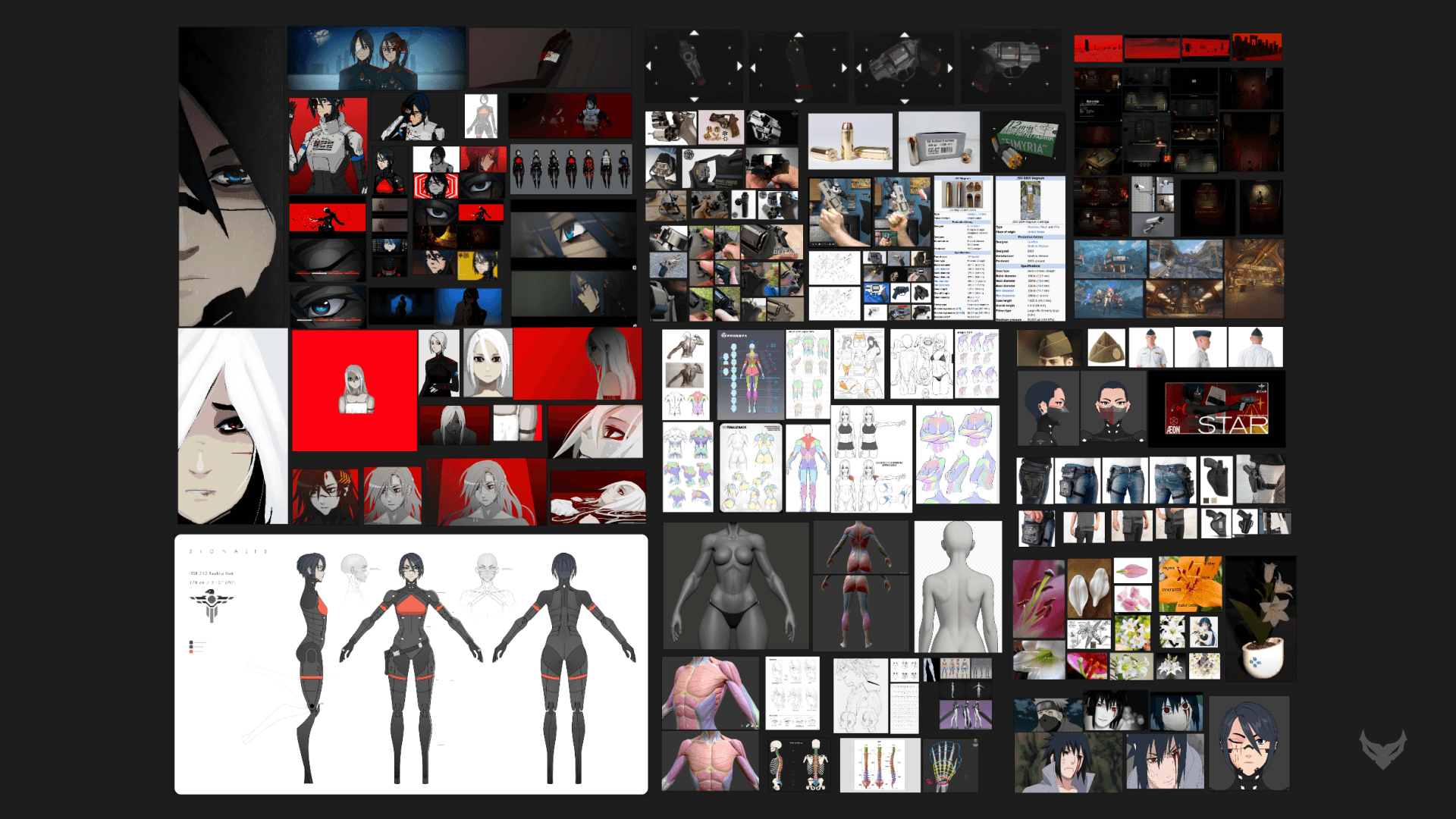
For reference gathering, I used PureRef. I’d usually give myself about two weeks for reference gathering, but this time I took at least a month to fully map out the character concept.

One fascinating thing about Signalis' official art is that LSTR "Elster" is presented differently across various cutscenes in terms of face or body proportions, and features. I personally think this adds to the mystique of the game's aesthetics and its almost surreal storytelling. It is a bit of a pareidolia effect as my friend, Khayeet, had mentioned. Huge shoutout to him for helping me provide creative feedback and make this project as accurate as possible to the game.

As a result, I tried to consolidate Elster’s design elements from all the different cutscenes and distill them into a singular design that could work in 3D. While I heavily referenced the game’s art, over time I made adjustments to her armor and articulation points so that she would actually be able to move properly.

Before jumping into modeling, I asked myself some key questions:


How Tall is Elster?

This was incredibly important during the block out phase to keep everything in proportion to what’s seen in-game. Elster is 178cm (5’11) and I also referenced in-game cutscenes to see scaling in relation to other characters like Ariane Yeong.

What other assets should I make?

My original plans comprised of multiple LSTR outfits, weapons, environments, and supporting characters. However, given the timeframe I had to downsize to ensure the overall project would be finished on time for the game's 4th anniversary release on October 27th, 2026.

What kind of overall presentation do I want in my portfolio?

I definitely want to capture the feel and aesthetic of the game. From the creepy, cold steel corridors of the S-23 Sierpinski Mining facility to the cassette futurism design elements, and the melodic melancholy of classical music and art…this game has EVERYTHING I appreciate 😊

Character Pipeline

The production pipeline for Elster was much different compared to my past projects. While most 3D projects I've worked on follow a standard PBR workflow, Elster follows the Arc System Works process for stylized 3D anime shading. This was all made possible thanks to this specialized Guilty Gear Strive blender shader by Aerthas Veras. Because of Aerthas’ incredible shader work alongside the ArcSys Blender Animator community’s model resources, I was able to study the entire workflow. During production, I also discovered the official Arc System Works Academy YouTube channel which breaks down a lot of their technical processes.

With the Guilty Gear shader in my hands, I learned how to apply “forced normals” to Elster's face alongside the specialized texture map system to make it all work. However, as production went on, I ended up developing this into a hybrid workflow that also incorporated aspects of what Riot Games does for 2XKO.

Below I’ll be doing overviews of the modeling, face shading, texture maps, and rigging process!


Modelling

Hero character models in GGS and similar games have a medium to high polygon count to ensure that the characters look great from every possible angle. The topology for certain parts is also highly specific yet intentional to make the anime shaded style work seamlessly. For Elster, I started with a high poly sculpt blockout to get a rough idea of her head and body proportions. Although I initially made feet for Elster, those were removed during the retopology process and reused for Ariane’s model. ((Side note - maybe I can make a Gestalt variant for Elster 🤔)). Over time I continued to refine the model until it reached a point I was genuinely happy with.

I also want to give a shoutout to Henning Sanden/FlippedNormals for his excellent anatomy courses and resources. While his courses focus on realism, it really helped me understand *appeal* to make Elster the best she can be!


Toon Face Shading (”Forced Normals”)

To get that anime style shading look, there are actually a lot of resources online that cover the process nowadays, but the one that really clicked with me was Vertex Arcade's tutorial on topology setup and forced normal techniques. Referencing the techniques from that video, I applied them to Elster by sectioning off specific parts of her face (we can call them “shadow zones”) to get the desired result. It was a delicate puzzle that I had to follow step by step. I even created a diagram to remind myself when and in what order to apply the face normals to specific shadow zones. Looks pretty wild but it was helpful enough.

I’ll admit that the final shadow results for Elster don’t transition as smoothly as official Arc System Works models, but it’s still a close result that I am genuinely happy with. I will unlock the secrets eventually. I also considered the SDF texture map technique but felt like learning the forced normal process would be beneficial for this project.

Base Map

This is the basic color (albedo) map. What is really cool about this workflow is that I can just set up basic color blocks in a design software like Figma or Photoshop, and then during the UV process, I can simply move the islands to whichever color block they belong to.

SSS Map

This texture controls the specific color of the shadows. According to Tre3, the acronym SSS stands for Sub Shadow Surface in this specific pipeline, though it could also reference the more traditional Subsurface Scattering term 🤔

ILM Map

This is a special multi-channel texture map that includes individual RGB channels to control specular highlights, ambient occlusion, and internal line art. Again, I am not entirely sure what the acronym ILM stands for, but I am sure I’ll find out eventually!

Vertex Painting

This is actually not a texture map. Instead, this “data” is painted directly onto the geometry which tells the shader to apply permanent shadows that acts like baked ambient occlusion.

Detail/Line Map

Technically called the “detail” map according to the GGS Shader, this includes dynamic anime line strokes that can be placed across the character to convey the cross-hatching anime style details throughout the character. This is placed on a second UV map channel separate from the Base, SSS, and ILM maps.

However, this is where I chose to change things up a bit by incorporating Riot Games' techniques from 2XKO. I was lucky enough to find some extracted in-game models online and discovered that I can get the same outline results as if I were to do it all in the ILM map.

While the typical workflow is to place internal line art details inside the ILM map, doing it on the detail map worked incredibly well for my specific use case. It also allowed me to avoid worrying too much about strict UV shell placement. The black blocks at the bottom of the map are where I am able to draw the clean outline edges seen throughout the model.

Rigging & Weight Painting

For rigging, I used Auto-Rig Pro (ARP). It was incredibly handy to have a preset rig system (that I can also use to retarget motion capture data to my characters in the long run 👀). A huge shoutout to CGDive for his amazing in-depth tutorials on ARP and rigging in general!! One thing to note about ARP is that it's not meant to be instantly perfect out of the box. It’s "smart" weight painting feature provides a great starting point, but it still requires manual touch-ups to achieve good articulation. In fact, I found myself continually tweaking weight paints well into the animation process….

Environment Pipeline

After Elster and Ariane were complete, the environment became the next major phase of the project.

While I originally had multiple environments planned, I ultimately settled on a hallway environment heavily inspired by Floor B7 from the game.

Production for this environment followed a traditional PBR workflow, which included high poly modeling, low poly optimization, and texturing in Substance Painter. However, my main mindset for the environment art was to avoid making it look too realistic to allow for the characters to stand out. I studied environment art from Zenless Zone Zero, which gave me an understanding of readability. To allow characters to stand out from their surroundings, I observed that the environments should generally feature more matte surfaces (mid to high roughness and no metallic). In addition, I wanted to avoid adding excessive micro-details or purely reflective surfaces as that might look too distracting.

I also utilized Blender's incredibly handy Asset Browser system. It allowed me to just drag and drop my modular assets directly into the scene files, which made the level design feel exactly like playing a building game heheh.

Also, a shoutout to Pro Constantinou (Good Good)’s procedural vines system, Tomás Correa’s procedural raw flesh material, and Ryan King Art’s Flying Bugs Generator! I was able to adapt all these pieces to create blood vines, flesh walls, with bugs swarming around as seen towards the end of “The Hallway” animation. These are fantastic procedural assets that I definitely want to take the time to learn procedurals one day. Insane stuff.

Animation Pipeline

While I mainly have experience in motion design and 2D character animation, this project was one of the first times in a while that I tackled a full-fledged 3D character while using Blender's NLA editor. It was a bit daunting at first, but the learning curve was not bad at all thanks to the amazing resources from Pierrick Picaut and Joey Carlino. Their tutorials really helped me approach the entire process strategically and proficiently by animating Elster’s walk, blink, and other “actions” separately.

Then I’d use the NLA editor to set up the animated shorts, which made the process quite smooth by combining those “actions” together. I thought of the NLA editor as something similar to a video editor, which really helped me visualize the timing during the scene setup.

Post Production

In all my projects I strive to create multiple art assets to highlight the work I've done in a clean/presentable format. For this specific release, I narrowed it down to two animated shorts. I originally planned on making more, but those will have to come at another time. After the scenes were rendered out of Blender, they were composited in After Effects and finalized in DaVinci Resolve for sound mixing.

Huge thank you to Simon Eberi for his OCIO/Colorspace and EXR workflow. It allowed After Effects to accurately present the EXR renders exactly how they would look in Blender which was mind blowing to me. I struggled a bit with color shift issues during my last project, so I am incredibly glad to have found this solution now. I also switched to DaVinci Resolve for this project because Premiere Pro was acting up with the dynamic linking system with After Effects and I did not feel like spending too much time troubleshooting it….

"The Hallway"

Working on Elster’s default walk cycle already had me envisioning this exact sequence of her walking through this derelict hallway brooding with suspense. The further she walks through this corridor, the deeper she descends into horrors beyond comprehension. Perhaps this is hell.

Why is she walking through this hallway? What (or who) is she looking for? I intentionally made this animation loop seamlessly to capture the time-loop plot device from the game. Not only is it cool visually, but it also has narrative purpose 😉. Plus, I just love clean video loops in general

​“Showcase”

This is a more "technically" focused video that functions a turntable, wireframe layout, shader, and outfit showcase. There were a few more technical details I wanted to fit into the edit so I might go back and add them later. In addition, I wanted to reference the game intro’s HUD interface for the animation, so I remade it by hand in Figma and then transferred it directly over to After Effects!

Reflection

Software Usage

This was quite possibly the first ever serious use of Blender and I’m incredibly proud to have learned and find myself appreciating this program even more. While I did use Zbrush and Maya to block out Elster and other assets as I normally do, to be able to finish everything in blender made the experience super satisfying in hindsight. I’ve always wanted to try out blender and this was such a great opportunity. One day I will do everything in blender. But until then, I'll keep learning more software!

Maybe Next Time?

This project allowed me to explore character creation, stylized shading, 3D animations, environments, and so much more than I could ever ask for. I already thought of my next portfolio piece 🤔 Perhaps something “realistic” with hair cards and clothing which I’m super excited about.

Conclusion

It felt like I was stuck in a repeating cycle working on the same thing over and over again for the past several months. Much like Elster, I remembered my promise and finished the cycle….or did I start something new?

Thank you to those who have inspired and encouraged me throughout the course of this project.


CRAFTED BY DAIDACKT | BRIAN L.